

Generate Video Drafts Multiple Ways Through Story Studio

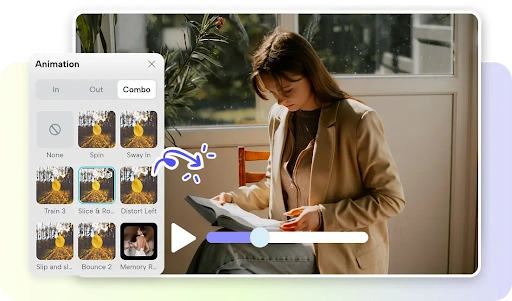
Testing out a couple of different creative approaches before starting the detailed editing process is beneficial in the early stages of video production. Pippit Story Studio provides experimentation with scripts, roles, scenes, styles, formats, and media assets. Comparing directions enables creators to develop better ideas before production.
What Makes a Video Draft Different From a Final Production
A video draft is an initial video or story version that serves as a test for creative direction. Does not have to include all final assets and production decisions. Weak scenes, confusing actions, uneven pacing, and inappropriate visual styles are the result of drafting. AI generation can help reduce the time required to explore these possibilities. In the case of an AI movie, this is important when creating the movie, as it may reveal issues before undergoing extensive refinement. Comparing multiple drafts also aids in determining which story structure needs more production attention. Thus, a useful draft can assist in decision-making rather than being a partially completed final product.
Start With Different Story Inputs
Pippit offers flexible starting points by means of scripts and AI-assisted writing workflows. Scripts can be uploaded, and pre-prepared scripts can be pasted in. AI scriptwriter can also generate story content based on a topic or idea. Variations in input can lead to variations in the structure of the scene, the relationships between characters, the speed of the action, and the focus of the story. This keeps experimentation in the narrative and away from the visual polishing. It allows creators to experiment with different ideas without having to create all production assets at once.
Vary Visual Direction Before Generating Complete Episodes

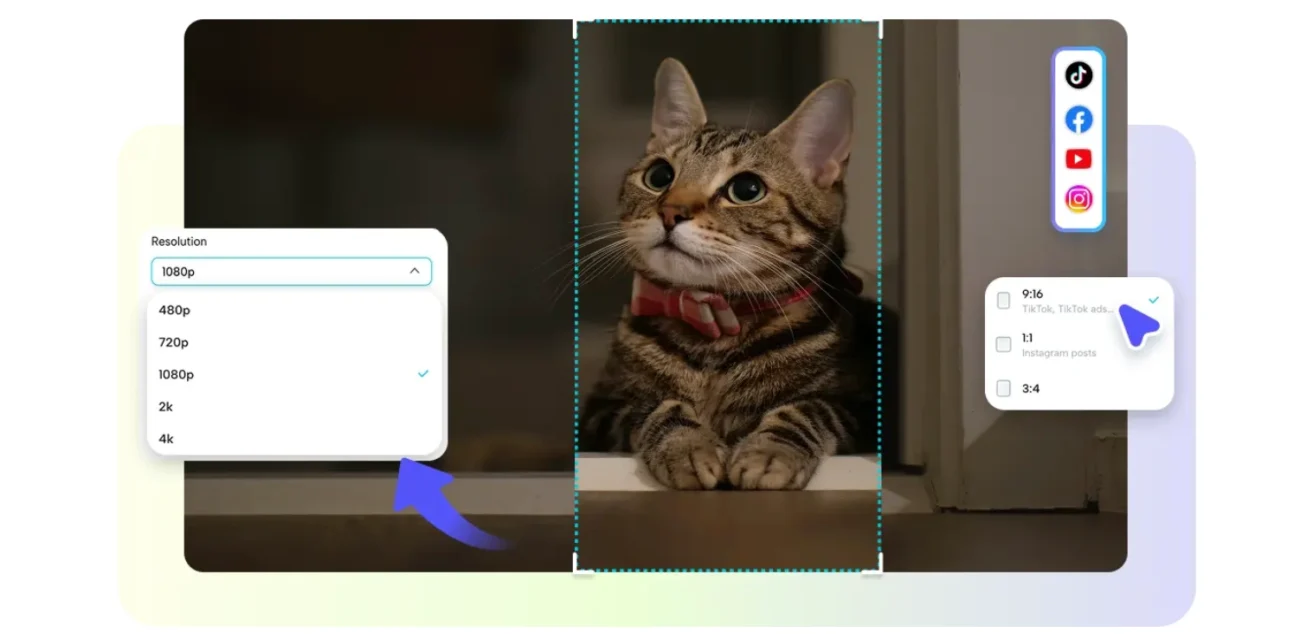
The story studio workspace enables creators to set visual direction before creating larger story sequences. The style library can be used to align visual treatment to the story and to the target audience. Aspect ratio influences framing and composition, viewing context, and platform suitability. Choices of episodes can set the scope of a larger story project. These settings can be varied to produce significantly different interpretations with comparable narrative inputs. There are different framing priorities for a vertical social concept than for a widescreen cinematic sequence.
Steps to Generate Video Drafts Multiple Ways Through Story Studio
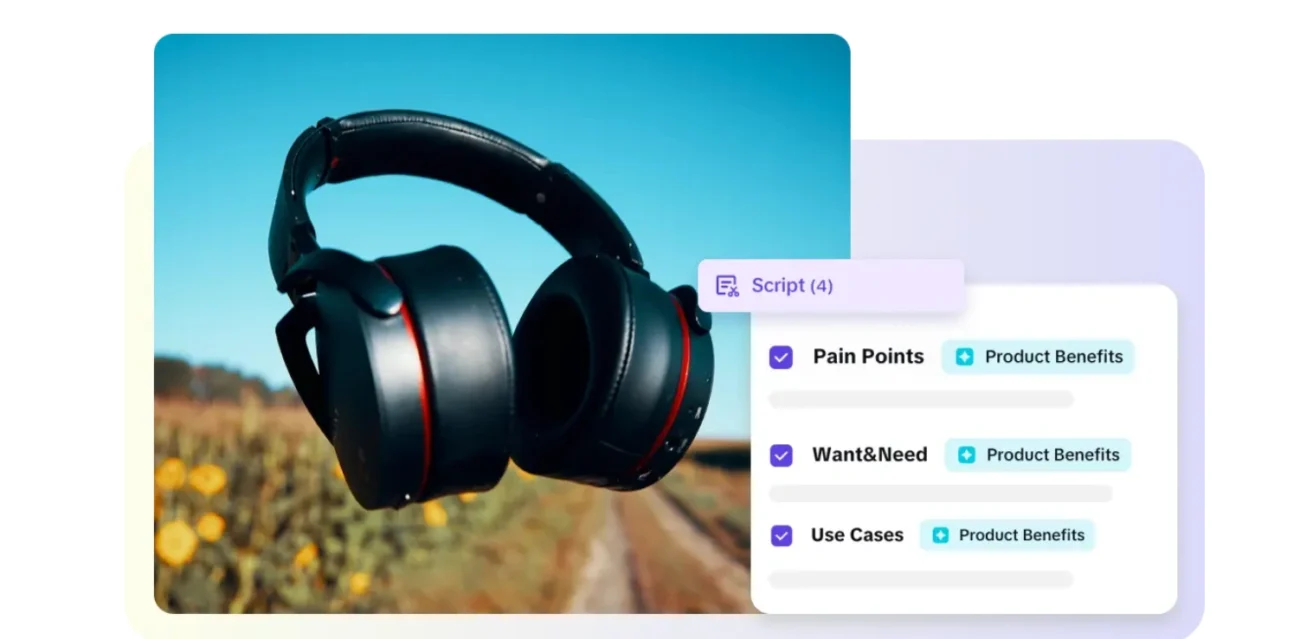
Pippit Story Studio offers a structured workflow to help transform scripts into organized video drafts. Use an uploaded script, pasted story text, or an AI-assisted script. The style library options are set at the beginning of the generation process to set the visual treatment. The default ratio is used to control frame format, and Episodes set the required story scope. Promotional projects can additionally create concepts after that created by means of an ad maker. Canvas is a hub for character organization, scenes, images, video, text, and audio.
Step 1: Select your preferred script method
- Sign up for Pippit through your Google, TikTok, or Facebook account details.
- Click the “Story Studio” tab on the left vertical menu of the home page.
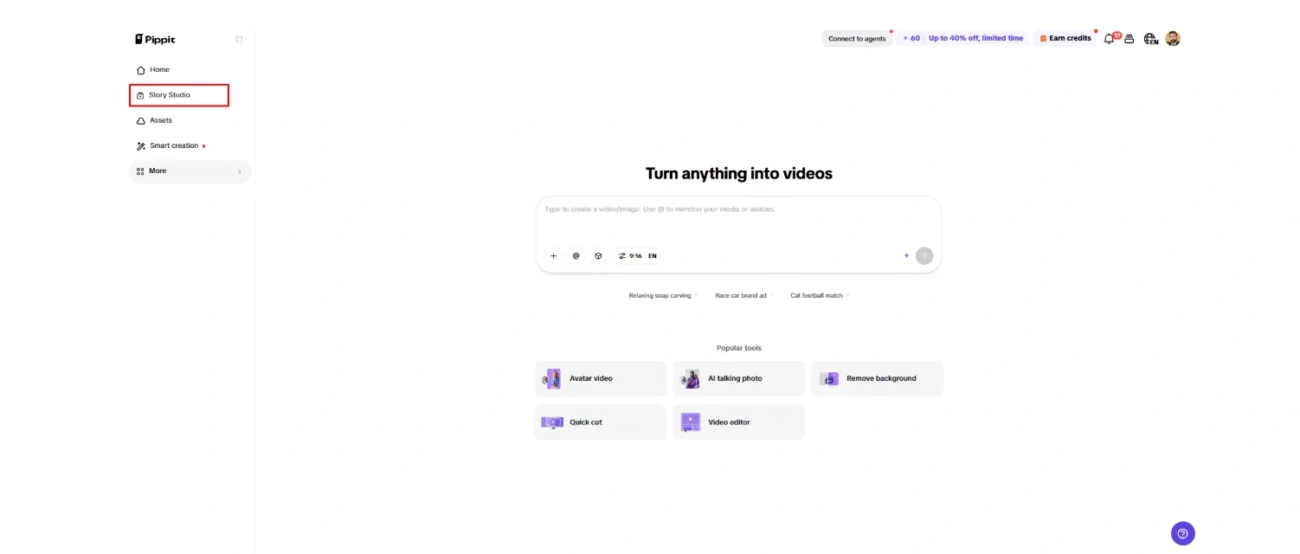
- Choose “Upload script” if you already have a script file. You can also select “Paste script” to enter or paste written content directly.
- For a new script, use “AI scriptwriter” from the top menu to generate content on any topic.
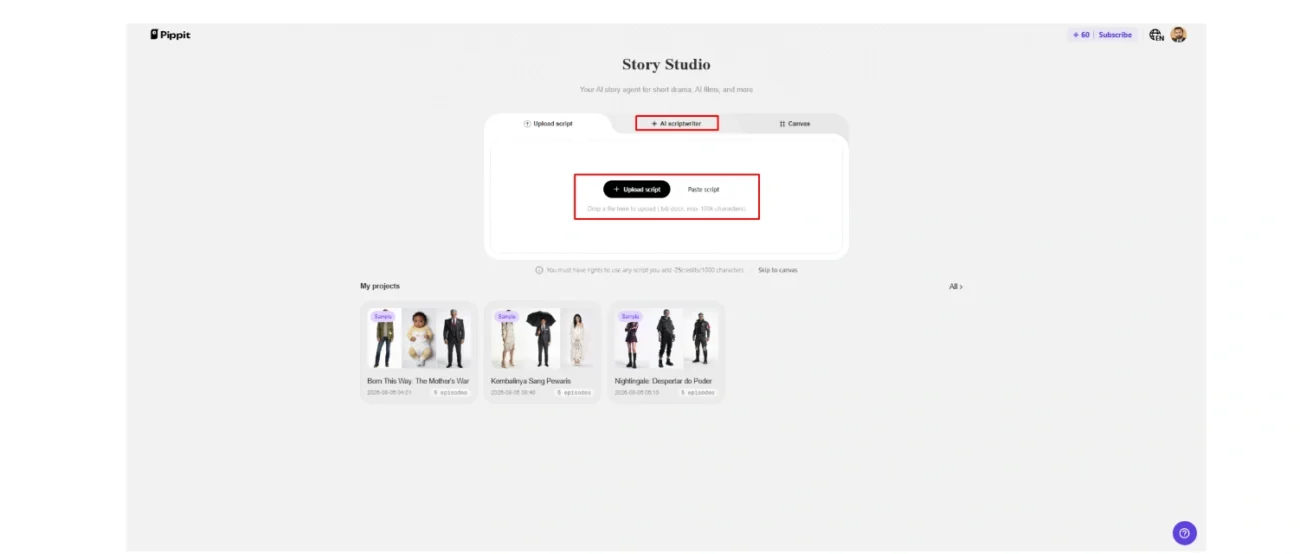
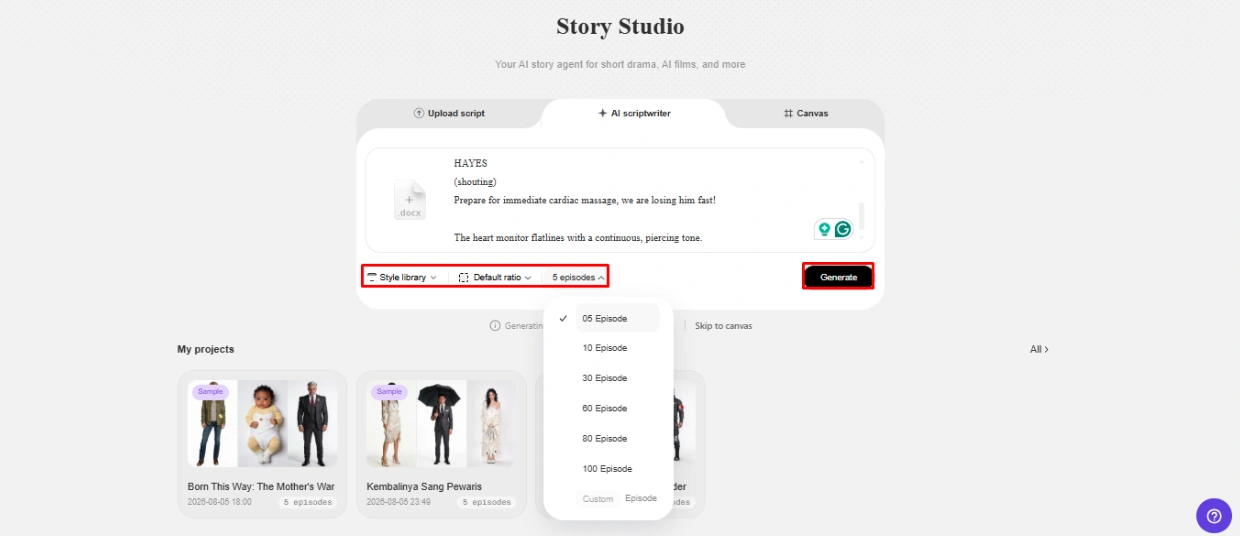
- Select a suitable story style through the “Style library” option at the bottom left of the dialogue box.
- Click “Default ratio” to choose the custom aspect ratio. Then select the number of episodes through “Episodes”.
- Click “Generate” to have AI generate your script.
Step 2: Develop different video drafts
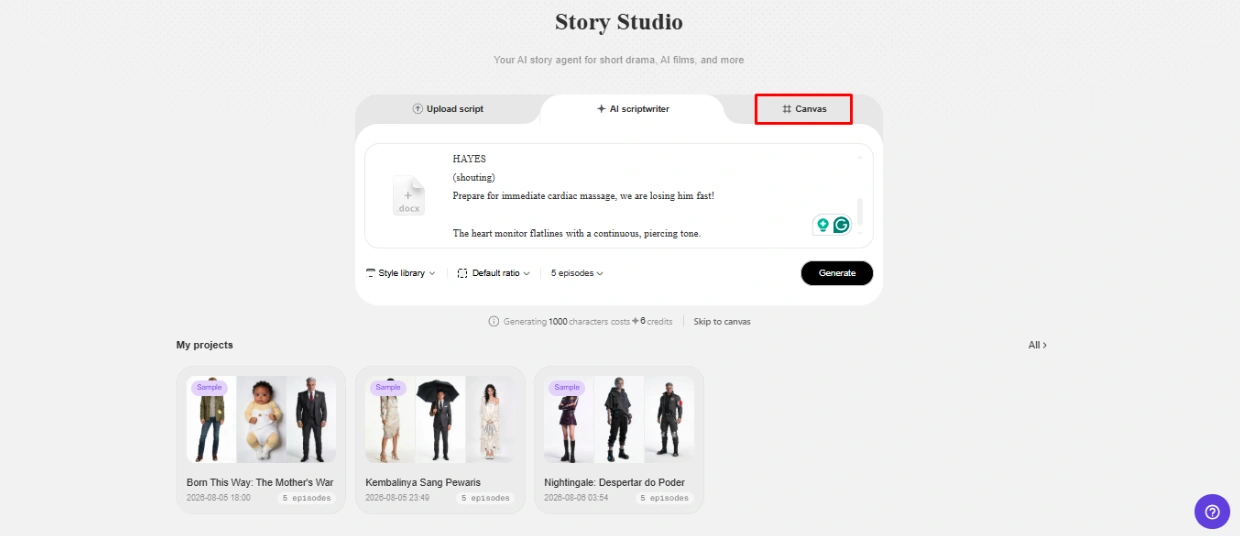
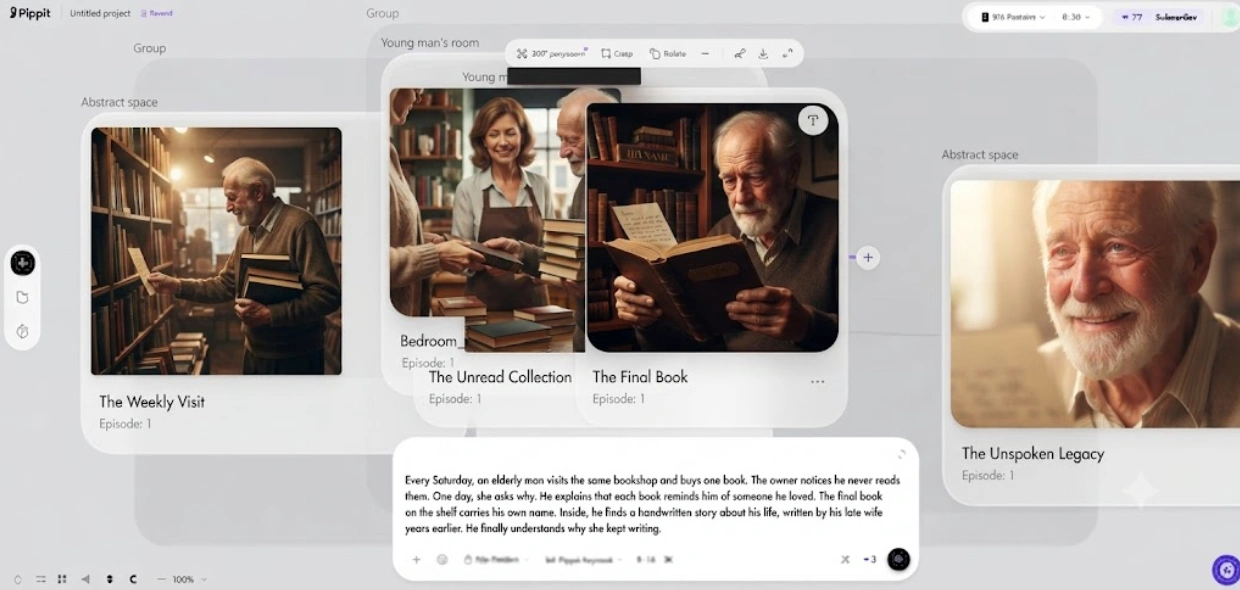
- Use the “Canvas” tab to add images, scene videos, and audio. You can also identify characters and assign roles to control how the story develops.
- Create prompts for each section of the video. Add character appearance, setting, lighting, camera angle, visual style, voice tone, story mood, or product context for more specific results.
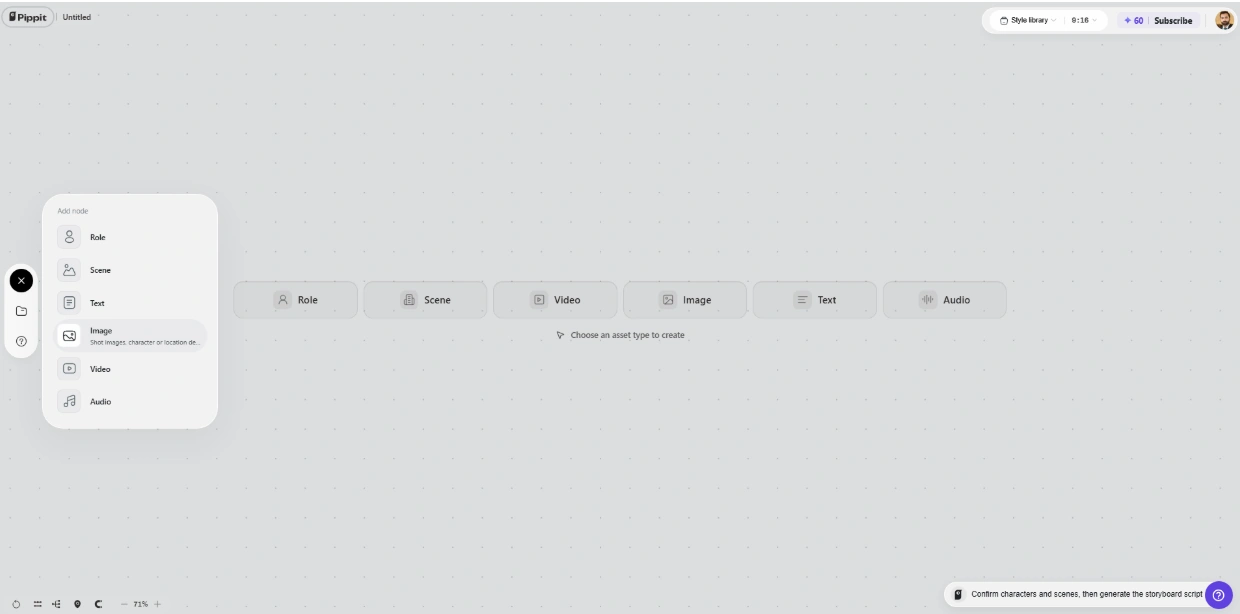
- Once you assign roles and generate the characters and scenes, click “Batch generate” to create the episodes.
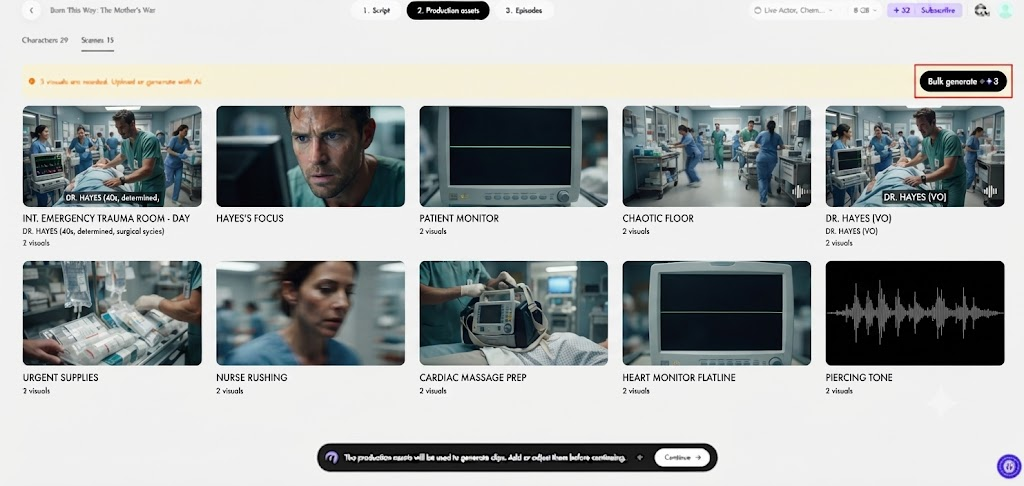
Step 3: Compare and refine your drafts
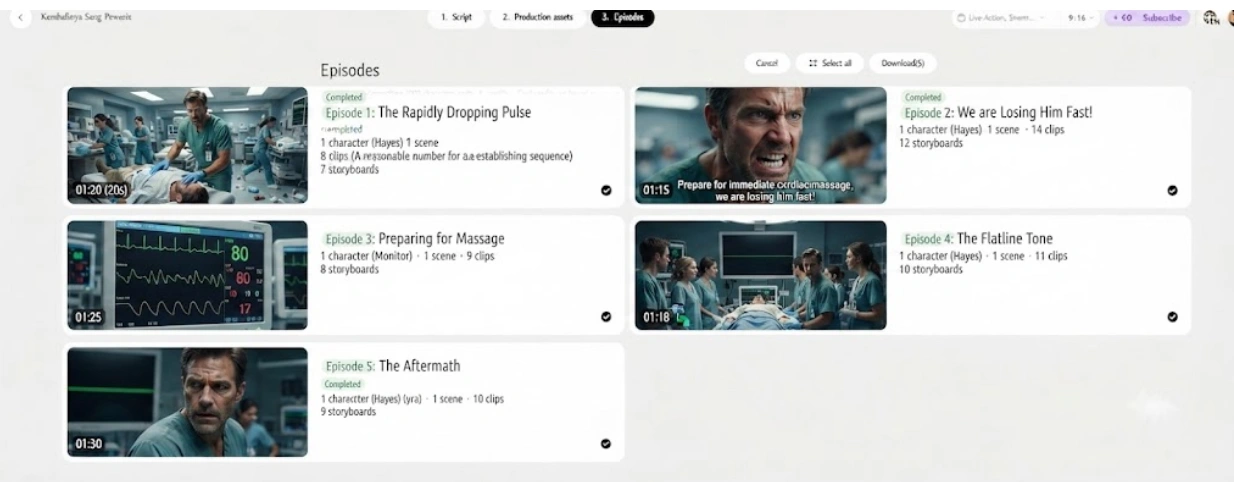
- Review the generated episodes and edit the characters, roles, scenes, audio, and other elements to refine your drafts.
- After finalizing the episodes, click “Select all” and then “Download” to bulk download them to your device.
Generate Draft Variations Through Character and Scene Changes
Different characters and scenes can result in different interpretations of the same story. A role prompt can specify appearance, clothing, expression, pose, age, mood, and visual identity. Scene prompts can change locations, weather, lighting, camera angles, atmosphere, actions, and composition. When an iteration happens, Canvas maintains these creative elements. Scene-level testing can also help identify if a scene will serve the story’s emotional or commercial need.
Use Seedance 2.0 Mini for Faster Video Idea Testing
Video drafting can be done faster and cheaper with Seedance 2.0 Mini in appropriate Pippit workflows. Drama moments, product scenes, social concepts, and visual treatments can be tested out in short clips. Rapid generation lets creators experiment with additional directions prior to detailed editing. This process is most effective when clips are considered as ‘sandboxes’ to be explored and not finished clips. Comparable versions can be assessed in terms of composition, movement, atmosphere, narrative clarity, and creative fit. This can then allow a more powerful direction to be given more attention in the refinement process.
Five Practical Ways to Approach Video Draft Generation
- Script-first drafting: Draft with a clear storyline and then create visuals to match the structure of the story.
- Character-first drafting: Create roles first and build scenes around roles’ visual appearance.
- Scene-first drafting: Consider setting and composition before character development.
- Style-first drafting: Experiment with visual treatments to find the best presentation.
- Episode-first drafting: Write larger sections to assess continuity and the flow of the story.
- Product-context drafting: Integrate product scenes, roles, text, and audio directions for advertising ideas.
Compare and Refine Drafts Before Final Editing
When drafting comparison, think about the following: narrative clarity, visual consistency, character continuity, scene relevance, pacing, and story flow. Check each episode for consistency with the original purpose of the story and target audience. Weak characters, environments, compositions, dialogue direction, or scene transitions can be reinforced through iterative prompting. The best course of action can incorporate valuable components of multiple drafts. Pippit Canvas facilitates this by organising related roles, scenes and media assets. Seeing options first can minimize the risk of settling for less creative decisions at a premature stage.
Conclusion
One video idea is explored through multiple drafts. Scripts, styles, roles, scenes, models, and prompts can yield unique directions. For quicker testing, when shorter drafts are a better fit for the workflow, Seedance 2.0 Mini can be used. Informed comparisons can be used to identify better decisions in terms of narrative, visual, and production before the final edit. Pippit is a central hub for the creation, review, refinement, organization, and download of story assets. Having a mindset of experimentation helps make creative decisions more thoughtful and easier to evaluate.
One thought on “Generate Video Drafts Multiple Ways Through Story Studio”